Microsoft Copilot for Teams: useful habits and a realistic adoption plan
Help teams use the Copilot capabilities available in their organisation with clearer expectations and safer habits.
The workshop distinguishes Copilot Chat from licensed Microsoft 365 Copilot, then applies available capabilities to documents, meetings, email and business information. Permissions, source checking and adoption are addressed before automation.
Recommended format
Core workshop · 4–6 hours
Delivery
On-site / in person, online, or hybrid
01 · Best for
Is this the right workshop?
Teams and champions using or preparing to roll out Microsoft Copilot in a managed Microsoft 365 environment.
Not the best fit when
- — You need a finished software implementation rather than team training.
- — You want a passive keynote without practical work.
- — You require a legal or compliance guarantee.
02 · What changes after the workshop
What this program changes in practice
A Copilot rollout can look complete when licences have been assigned, even though the working habits that create value are still missing. People need to understand which Copilot experience they have, where its answers come from, how existing permissions affect what it can find and how to review generated work. The workshop makes those conditions practical, then helps the team choose a small number of role-based habits worth supporting over the next 90 days.
The session is not a fixed sequence of demonstrations. The facilitator works with the team on Know your Copilot environment, Work across Microsoft 365, Context, sources and permissions, using Microsoft Copilot, Enterprise knowledge & workspaces, Your approved AI tools when those systems are approved and available. Participants compare first results, make missing context visible and improve the work together. They learn not only which request works, but why an output is reliable enough to move into the next working step.
The value should not end when people leave the room. Exercises therefore produce concrete outputs such as Copilot use-case map, Role-based instruction pack, Readiness and permission checklist. They give colleagues a traceable starting point, show where human review is still required and make the next pilot smaller and more realistic. Optional follow-up work can build on those artefacts instead of beginning again with another general introduction.
- Understand which Copilot experience the team actually has
- Use Copilot across approved Microsoft 365 work
- Check sources, permissions and generated content
- Create a practical 90-day adoption plan
03 · Tools your team will use
Tools your team will use
- Microsoft Copilot
- Work with approved Microsoft 365 capabilities across documents, meetings, email and business information.
- Enterprise knowledge & workspaces
- Organise shared context, approved knowledge and repeatable ways of working inside managed AI workspaces.
- Your approved AI tools
- Exercises adapt to the systems, licences and data boundaries your organisation has approved.
04 · From uncertainty to a shared way of working
Help teams use the Copilot capabilities available in their organisation with clearer expectations and safer habits.
- Before
- Licences may be available, but people do not share the same expectations, workflow habits or understanding of permissions.
- In the room
- The team uses Microsoft Copilot, Enterprise knowledge & workspaces, Your approved AI tools on its own examples. Every exercise ends with checking, improvement and a clear human decision.
- The day after
- Participants leave with more than notes: Copilot use-case map, Role-based instruction pack, Readiness and permission checklist and an agreed next step.
05 · A practical syllabus
A practical syllabus
01 Know your Copilot environment
Distinguish Copilot Chat, licensed Microsoft 365 Copilot and plan-dependent features.
Working output: Copilot use-case map
02 Work across Microsoft 365
Practise available document, meeting, email and information workflows.
Working output: Role-based instruction pack
03 Context, sources and permissions
See how access and document quality shape the answer.
Working output: Readiness and permission checklist
04 From prompt to repeatable habit
Create role-based instructions and examples colleagues can reuse.
Working output: Champion kit and 90-day plan
05 Adoption and measurement
Prioritise use cases, champions, support and a 90-day plan.
Working output: Copilot use-case map
06 · What your team takes away
A prepared workshop, not a generic presentation
- Copilot use-case map
- Role-based instruction pack
- Readiness and permission checklist
- Champion kit and 90-day plan
Optional follow-up clinics and adoption support can be added after the workshop.
- • Sponsor alignment call
- • Short participant questionnaire
- • Examples adapted to your work
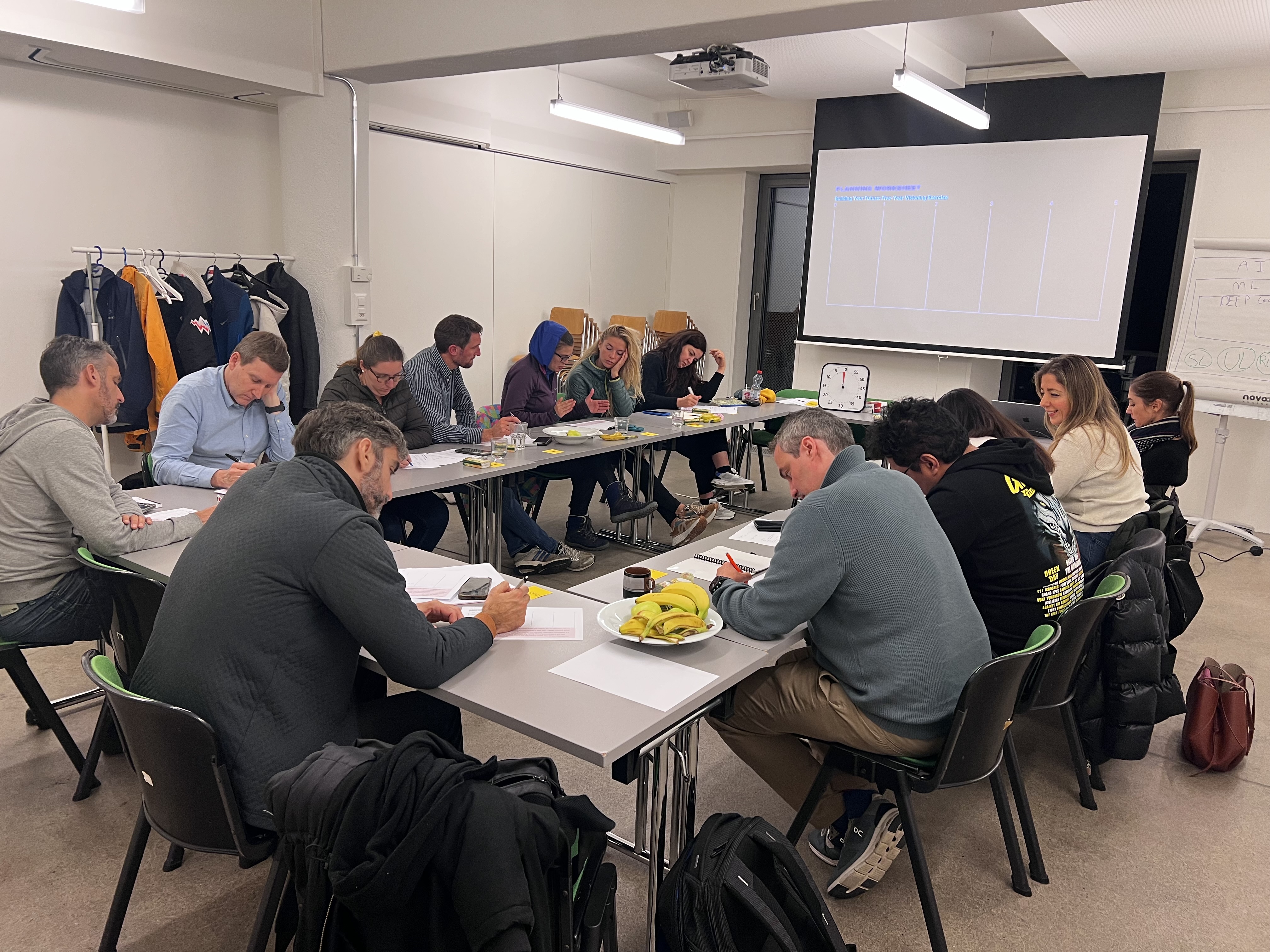
- • Facilitated live practice
- • Digital resources
- • Concise facilitator summary
07 · Delivery options
One workshop, three ways to take part
The learning goals, practical exercises and take-away resources stay consistent. We adapt the room, collaboration tools and facilitation rhythm to the way your team is joining.
- On-site / in person
- Delivered at your organisation or an agreed venue, with the facilitator and participants working together in the room.
- Online
- A fully live, facilitated workshop using an agreed video platform, shared exercises and structured small-group work.
- Hybrid
- Designed for a team split between the room and remote participants, with activities adapted so both groups can contribute and receive support.
Product facts are checked before delivery
Available features can vary by plan, region and administrator settings. The workshop is configured around the capabilities your organisation actually has—not a generic feature list.
View public workshop evidence
08 · Facilitated by a practitioner
Facilitated by a practitioner
George Raymond Alchoufi combines software engineering, facilitation and executive coaching. The session is adapted to your team’s work, approved tools and review responsibilities.
Program content reviewed July 2026
Delivered across Switzerland
Available on-site in Zürich, Geneva, Lausanne, Basel, Bern and other Swiss locations by arrangement, with hybrid delivery for distributed teams.
Continue your team’s learning
Questions before booking
What will our team achieve in the Microsoft Copilot workshop?
Help teams use the Copilot capabilities available in their organisation with clearer expectations and safer habits. The practical outcomes are: Understand which Copilot experience the team actually has; Use Copilot across approved Microsoft 365 work; Check sources, permissions and generated content; Create a practical 90-day adoption plan.
Who is the Microsoft Copilot workshop designed for?
Teams and champions using or preparing to roll out Microsoft Copilot in a managed Microsoft 365 environment.
Which tools will participants use?
The practical stack includes Microsoft Copilot, Enterprise knowledge & workspaces, Your approved AI tools. Exercises are adapted to the licences and systems your organisation has approved.
How long is the workshop and how is it delivered?
The recommended format is Core workshop · 4–6 hours. Every core workshop is designed to stay within four to six hours; alternatives include Focused workshop · 4 hours, Core workshop plus optional follow-up. Choose an in-person session at your organisation or an agreed venue, a fully online workshop, or a hybrid format. Delivery is available in English, French or German.
What preparation is required?
No technical prerequisite is required. We hold a short sponsor alignment call and participant questionnaire, then adapt examples to approved tools and non-sensitive work.
What does the team take away?
The working package includes Copilot use-case map, Role-based instruction pack, Readiness and permission checklist, Champion kit and 90-day plan, digital resources and a concise facilitator summary.
Share this workshop
Use the concise Markdown version for citations or download the PDF brochure for internal review.